How to Choose a FiveM Garage Script: Features, Compatibility and Performance
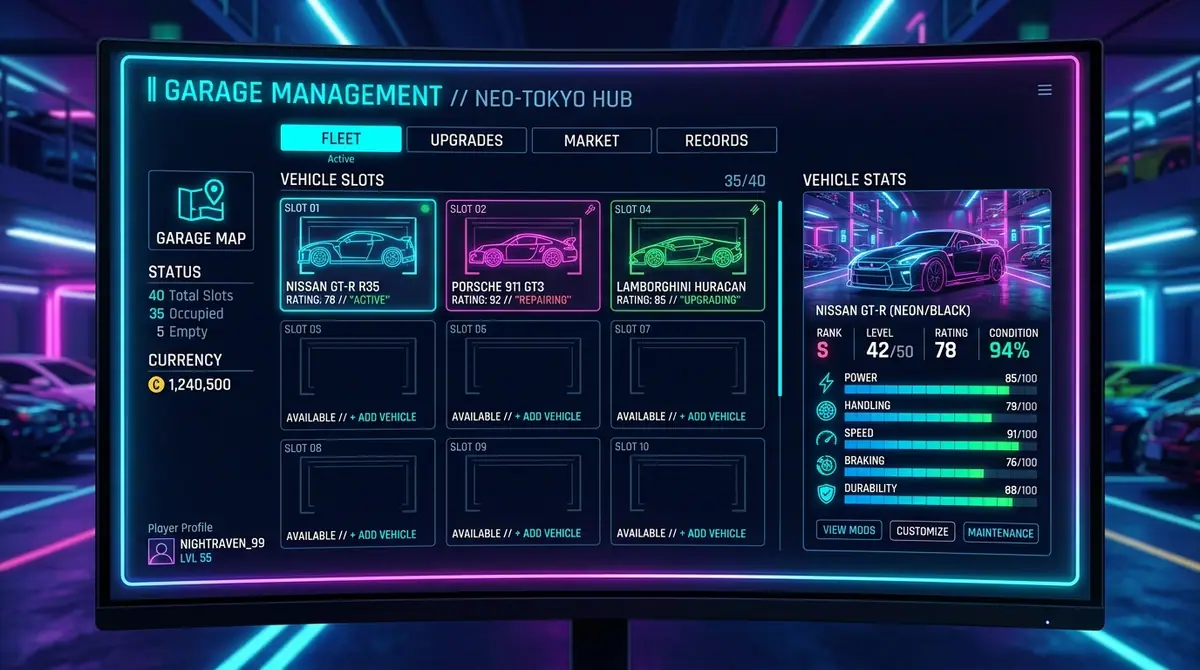
A garage script is responsible for more than opening a vehicle menu. It sits between player actions, vehicle ownership, persistence, impounds, job permissions and the database. If any one of those contracts is unclear, players eventually lose vehicles, duplicate entries, or receive confusing “vehicle not found” errors.
The right way to compare a FiveM garage is to test the full flow, not just the screenshot.
Map the complete vehicle flow
Write down what should happen when a player:
- stores an owned vehicle;
- retrieves it at the same garage;
- retrieves it at another garage, if transfers are supported;
- enters an impound;
- pays or satisfies the release condition;
- disconnects before the save completes;
- tries to access a garage without permission.
The script should define the result of each case. “It saves vehicles” is not enough information to evaluate persistence.
Vehicle ownership and persistence
The server must decide whether the player owns a vehicle and whether the requested garage is valid. Do not accept a plate or vehicle identifier from the client as proof of ownership. The server should load the authoritative record, compare it with the player, and only then allow the action.
For persistent vehicles, ask how the resource handles duplicates, destroyed vehicles, spawned instances and a vehicle that is already out in the world. These details matter more than an extra animation in the menu.
Framework and database compatibility
ESX, QBCore and Qbox may use different player identifiers, vehicle schemas, callbacks and permission conventions. A garage claiming broad compatibility should document which integration is active and what the server owner must configure.
Check whether the resource:
- uses the framework's documented APIs;
- expects a specific inventory or keys resource;
- creates or modifies database tables;
- includes migrations for updates;
- supports job or faction garages;
- separates admin access from normal player access.
Avoid resources that silently read another framework's private database tables. That creates a maintenance problem even if the first install appears to work.
UI and player experience
A garage UI should make the important state obvious:
- vehicle name and plate;
- stored, out, damaged or impounded status;
- location;
- release cost or requirement;
- unavailable actions and why they are unavailable;
- loading, empty and error states.
The UI should also work with keyboard navigation, readable contrast and different resolutions. A fast interaction with a clear error is better than a beautiful menu that leaves the player guessing whether a click succeeded.
Security and abuse resistance
Garage actions can affect valuable game state. Server-side code should validate ownership, garage distance or location rules, payment, vehicle state and permissions. Rate-limit actions that can spawn or transfer vehicles. Cfx.re's security documentation explains why client-supplied values must be treated as requests rather than truth. Read Secure Your Events.
Client-side checks are still useful for responsiveness, but they are not an access-control boundary.
Performance and support
Test the garage with a realistic vehicle count and several players opening it at once. Check both client UI responsiveness and server/database behaviour. Ask how the resource handles empty results and failed queries instead of assuming that a successful demo covers every case.
Before buying, look for a changelog, documentation, supported dependencies, update policy and a real support path. Those details determine whether the garage remains useful after a framework or database update.
Final takeaway
Choose a FiveM garage script by its ownership model, persistence rules, integration quality, security checks and support—not by the number of screenshots. A reliable garage makes vehicles feel like part of the server economy. A vague one creates support tickets that no amount of visual polish can hide.
Keep learning
FiveM Client vs. Server Events: How to Secure UI Actions
Understand why FiveM clients cannot be trusted, how to validate network events, and how to secure NUI actions involving permissions, inventory, money and vehicles.
Server ArchitecturePremade vs. Clean FiveM Server Base: Which Is Better?
Compare a premade FiveM server package with a clean base. Learn how to evaluate dependencies, licensing, performance, security and long-term maintenance before you buy.
FiveM ResourcesWhat Makes a Legit FiveM Script Store? A Buyer’s Checklist
Learn how to evaluate a FiveM script store for licensing, documentation, compatibility, security, support and long-term maintenance before you buy.
Build a better server experience
Need a production-ready FiveM resource?
Explore Zloma Scripts for practical resources with clean interfaces, framework compatibility, and documentation you can actually use.
Browse Zloma Scripts